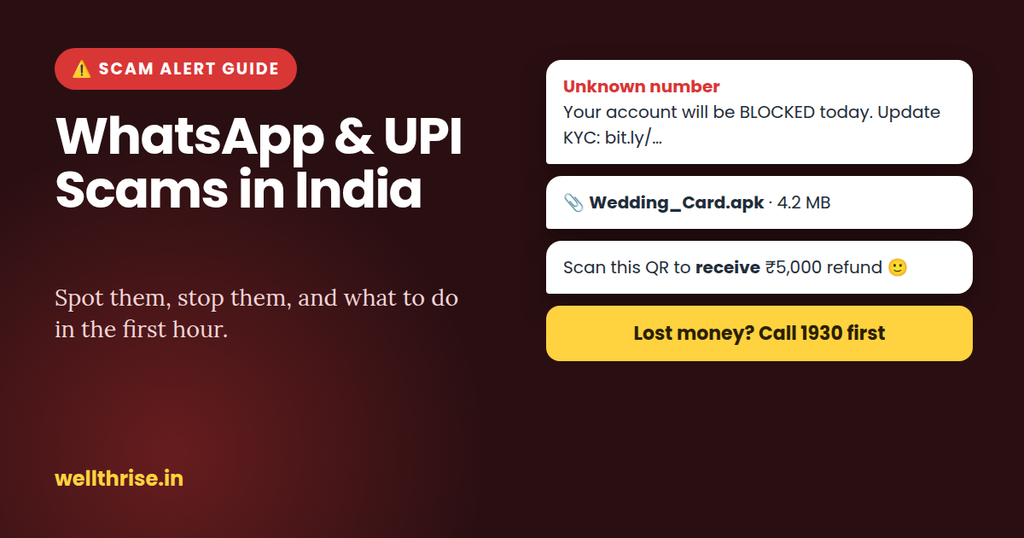
WhatsApp and UPI scams in India: how to spot them, and what to do in the first hour.
From fake “wedding invite” files to “digital arrest” video calls, UPI scams now arrive mostly through WhatsApp. Here is how each one works, a quick checker for suspicious messages, and the exact steps that give you the best chance of getting your money back.
Is this message a scam? Quick checker
Tick everything that’s true about the message or call you received:
This checker is a guide, not a guarantee. When in doubt, don’t click, don’t pay, and call the organisation on a number from its official website or the back of your card.
10 WhatsApp and UPI scams doing the rounds
📎 Fake “wedding invite” or challan file
A message from an unknown or hacked number shares a file like “Wedding_Card.apk”, “Traffic_Challan.apk” or “PM-Kisan.apk”. Installing it lets scammers read your SMS, including bank OTPs.
Red flag: any file ending in .apk on WhatsAppDo: never install apps from WhatsApp. Real invites are images or PDFs.🏦 “Your account will be blocked today”
Fake KYC, PAN or “UPI suspended” alerts with a link to a lookalike bank site that asks for your login, card number or OTP.
Red flag: urgency plus a linkDo: open your bank app directly. Banks don’t block accounts over WhatsApp.🔁 “I sent money by mistake”
You get a fake “credited” SMS or screenshot, then a request to “return” the money. Often no money ever arrived.
Red flag: pressure to refund before you’ve checkedDo: check your actual bank balance. If money did arrive, ask the sender to raise it with their bank.📷 “Scan this QR to receive payment”
Common with OLX and Marketplace sellers. Scanning and entering your PIN sends money out of your account, not in.
Red flag: a QR code or PIN to receive moneyDo: share your UPI ID for payments. Never scan to receive.👮 “Digital arrest” video call
Fake police, CBI or customs officers on a video call claim a parcel or SIM in your name is linked to a crime, keep you “under arrest” on camera and demand money to “clear” your name.
Red flag: there’s no such thing as a digital arrestDo: hang up and call 1930 or your local police station.💼 Part-time job or “like and earn” task
Easy money for liking videos or reviewing hotels. Small early payouts build trust, then you’re asked to “deposit to unlock” bigger tasks.
Red flag: paying to earnDo: no genuine job asks you to deposit money.📈 Stock tips and “VIP” investment groups
You’re added to a group full of fake success screenshots and pushed to a trading app that shows big gains you can never withdraw.
Red flag: guaranteed or very high returnsDo: invest only through SEBI-registered brokers and apps from the official app stores.🙋 “Hi, it’s me, new number”
Someone uses a friend’s or relative’s photo and name, says it’s their new number, then asks for urgent money.
Red flag: a new number and an urgent paymentDo: call the person on their old number before paying.💡 Electricity disconnection tonight
“Your power will be cut at 9:30 pm, call this officer.” The “officer” asks you to install a screen-sharing app or pay a “pending bill”.
Red flag: a personal mobile number for a utilityDo: check your bill on the official discom website or app.📦 Courier, customs or refund call
A parcel is “held”, or you’re due a refund from a shopping app. You’re asked to pay a small fee via a link, or share your screen.
Red flag: AnyDesk, TeamViewer or any screen-sharing requestDo: never share your screen while banking apps are on your phone.Lost money? What to do in the first hour
Speed matters most. The sooner you report, the better the chance banks can freeze the money before it moves on, and the stronger your claim under RBI rules.
- Call 1930 immediately. The national cyber-fraud helpline can alert the banks involved to try to stop the money. You can also file online at cybercrime.gov.in.
- Call your bank’s official helpline. Ask them to block UPI, cards and net banking, and to log a complaint about an “unauthorised transaction”. Note down the complaint number.
- Save the evidence. Take screenshots of the chat, the caller’s number, the UPI transaction ID (UTR) and the amount and time. Don’t delete the chat.
- If you installed an app or shared your screen: switch on airplane mode, uninstall the app, and change your banking and email passwords from a different device.
- Report the number on WhatsApp (open the chat → tap the name → Report) and on the government’s Sanchar Saathi portal using Chakshu, which tracks fraud calls, SMS and WhatsApp messages.
- Follow up in writing with your bank within 3 working days, quoting your complaint number, to protect your rights under RBI’s rules below.
Will the bank refund you? RBI’s rules
RBI’s rules on unauthorised electronic transactions decide how much you have to bear. What matters most is how quickly you report.
| When you report the fraud | Your maximum loss |
|---|---|
| Fraud due to the bank’s or a third party’s fault, reported within 3 working days | Zero |
| Reported within 4 to 7 working days | ₹5,000 to ₹25,000, depending on account type |
| Reported after 7 working days | As per your bank’s board-approved policy |
| You shared your OTP, PIN or password yourself | You bear the loss until you report it. Anything after reporting is the bank’s responsibility |
Banks must credit the disputed amount to your account within 10 working days of your report while they investigate, and the burden of proving your negligence is on the bank. These rules come from RBI’s 2017 circular on customer liability, so check your bank’s current policy too.
Lock down WhatsApp in 5 minutes
- Turn on two-step verificationSettings → Account → Two-step verification. This stops someone hijacking your account with a stolen OTP. (UPI Scams)
- Silence unknown callersSettings → Privacy → Calls. This cuts off most “digital arrest” and fake-officer calls.
- Limit who can add you to groupsSettings → Privacy → Groups → My contacts. This blocks the “VIP stock tips” groups.
- Hide your photo and status from strangersSettings → Privacy → set Profile photo and About to My contacts.
- Never install files from chatsReal invites and challans are images or PDFs. A file ending in .apk is an app, and a dangerous one. (UPI Scams)
Make UPI Scams safer too
- Check the name before you pay. The UPI app shows the registered name of the person or shop. If it doesn’t match, stop.
- Lower your daily UPI limit in your bank or UPI app to what you actually use.
- No more “collect requests” from individuals. Since 1 October 2025, NPCI has stopped person-to-person “request money” pulls on UPI. If a person seems to be “requesting” money from you, be extra careful.
- Use one app per bank, keep it updated, and lock it with your phone’s biometric lock.
FAQ
Can I get my money back after a UPI scam?
Sometimes. Your best chance is calling 1930 within the first hour, so the receiving bank can freeze the funds, and reporting to your own bank within 3 working days. Money that has already been withdrawn is much harder to recover.
Is it safe to open a link if I don’t enter anything?
It’s still risky. Some links download harmful files or lead to convincing fake pages. If you’re unsure, don’t open it. Go to the organisation’s official website or app instead.
What is a “digital arrest”?
It’s a scam, not a legal procedure. No police force, CBI or court in India arrests anyone over a video call or asks for money to “settle” a case. Hang up and report the call to 1930.
Someone sent me money by mistake. What should I do?
First check your bank balance in the app, not an SMS or screenshot. If the money is really there, don’t send it back yourself. Ask the sender to raise it with their bank, which will process a reversal.
More on WellthRise
Sources: Finance Ministry reply to the Lok Sabha, December 2025, as reported by IANS · RBI circular on customer liability · NPCI ends P2P collect requests (Business Today) · Wedding-invite APK scam warning (The Tribune) · Chakshu explained (Factly). This is general information, not legal advice.